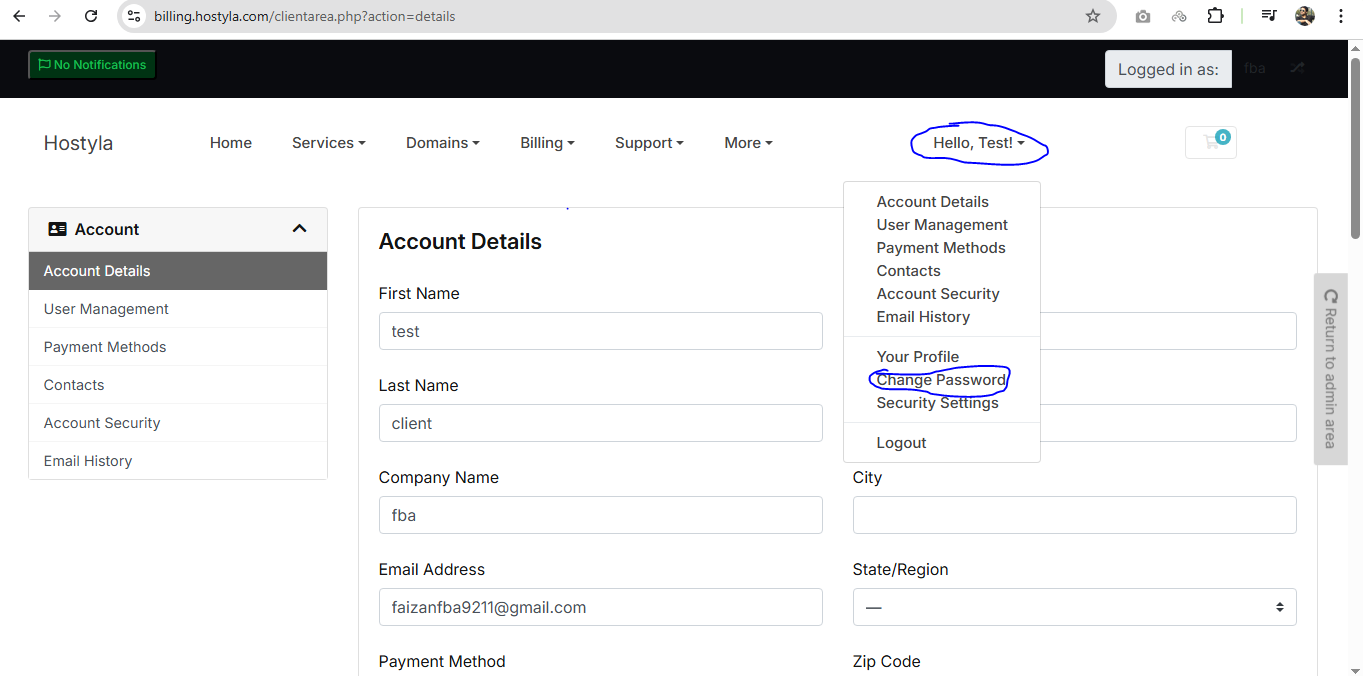
Just Login Into Your Billing Account
https://billing.hostyla.pk/clientarea.php
Click On Your Name Showing On Right Top Bar
In Drop Down List Click On Change Password
In This Password Field You Have To Write Your Old Password, New Password And Confirm Password